

The new version of Wallpapers Central, our wallpaper and ringtone app for iPhone, is now available on the App Store, and it is the biggest update the app has received since July. With version 2.6 we rebuilt the Home and the Ringtones section from scratch, rethought the way you earn free Coins, reorganized the Account and finally gave the app a layout designed for the large screen of iPad. A lot has changed: visually it feels like a brand new app, while keeping its identity and style.
To walk you through it properly, I will start with a quick overview of what’s new and then go through every new feature one by one, so you can find each of them right away in the app.
Wallpapers Central 2.6: what’s new at a glance
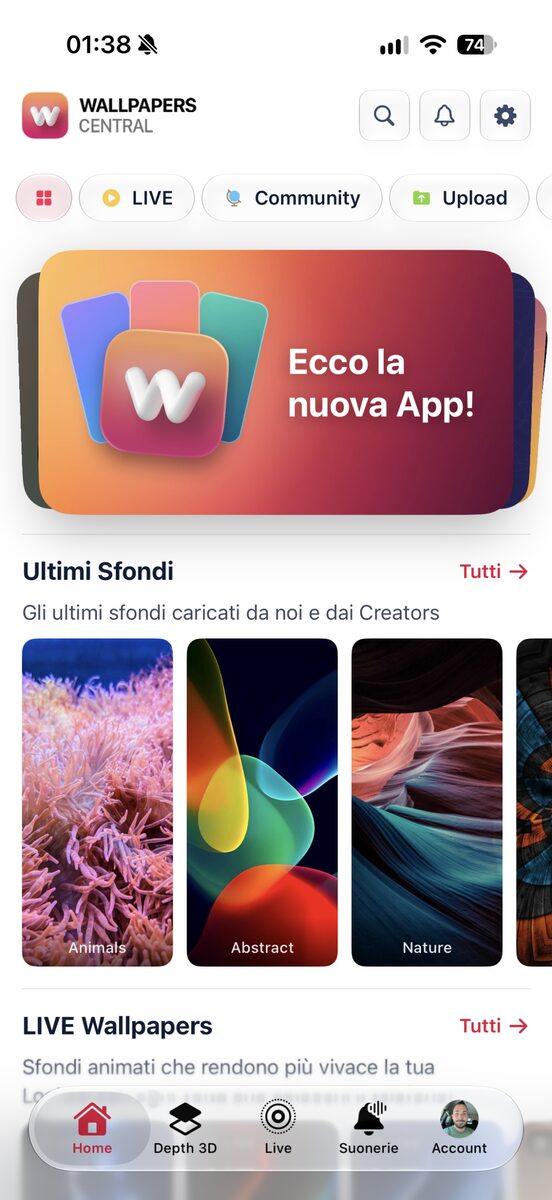
- A brand new Home: wallpapers in horizontal rows grouped by category, an auto-playing card deck at the top with a lovely motion effect, a new welcome card that keeps the most important information in view at any time, and five styles to choose from.
- Redesigned Ringtones: the section is completely new. The most downloaded ringtones spin on an animated vinyl record, every category has its own page, and there are official album covers and a mini-player similar to the native one, all in Liquid Glass of course.
- Easier free Coins: the Rewards section has been completely redesigned and now feels even more like a game. You come in to collect one stamp a day and get Coins right away, with bigger milestones and rewards every 7, 15 and 30 days; refreshed missions; and chests, opened with keys, that unlock new features of the app, all laid out on a beautiful treasure map, even before you sign up.
- Account and wallpapers: a menu-based Account, a history of your Transactions, uploads for smartphone, tablet and desktop, Matching Night / Day and an app icon showcase.
- Search and Creators: a refreshed search and a new page for Verified Creators.
- PRO: a page that shows everything you get with the subscription.
- iPad: a sidebar, two-column wallpaper pages and wider grids.
Home: wallpapers scroll horizontally, grouped by category
When you open the app, the first thing you notice is the new Home style: wallpapers are no longer a long grid that scrolls down, but horizontal rows grouped by category. Each row has its own name and you swipe through it to the right, so in a few seconds you get an overview of the whole catalog, from LIVE to Depth wallpapers, from Spatial Scene 3D to Matching pairs.


We also did a lot of work under the hood: loading is much smoother and faster, and the app uses far less data than before, something you will appreciate especially when you are out and about or on a slow connection.
Home: the card deck at the top, which plays on its own
At the top of the Home there is a swipeable card deck with what’s new and the featured sections of the moment: a single gesture takes you to the next card, with a really pleasant animation. The cards also play automatically, and if you would rather stop them you can do it from Settings > Home style, by turning off auto-scrolling.


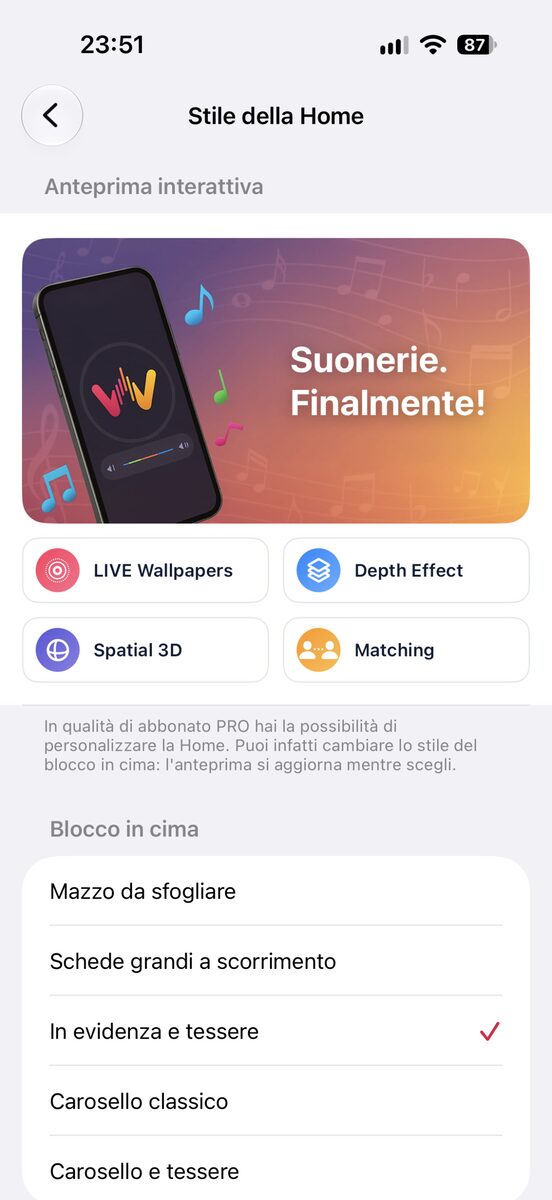


The Swipeable card deck at the top is just one of the 5 styles you can choose from: there are also Large scrolling cards, Featured and tiles, Classic carousel and Carousel and tiles, reserved either for PRO subscribers or for those who use the app for free and open the chests in the Rewards page with their keys.
Home: the welcome card, with four layouts
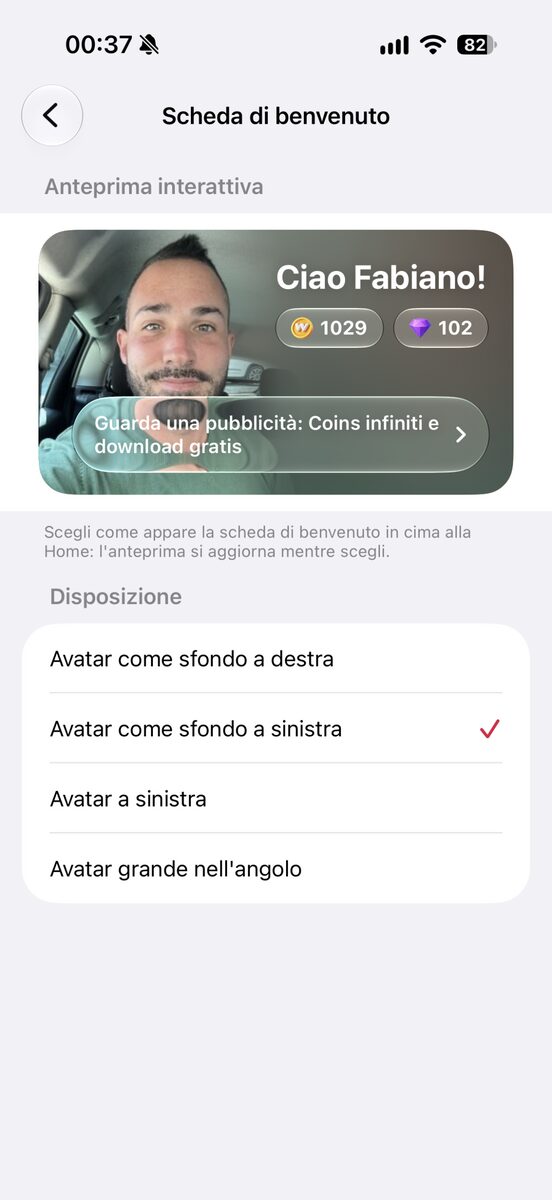
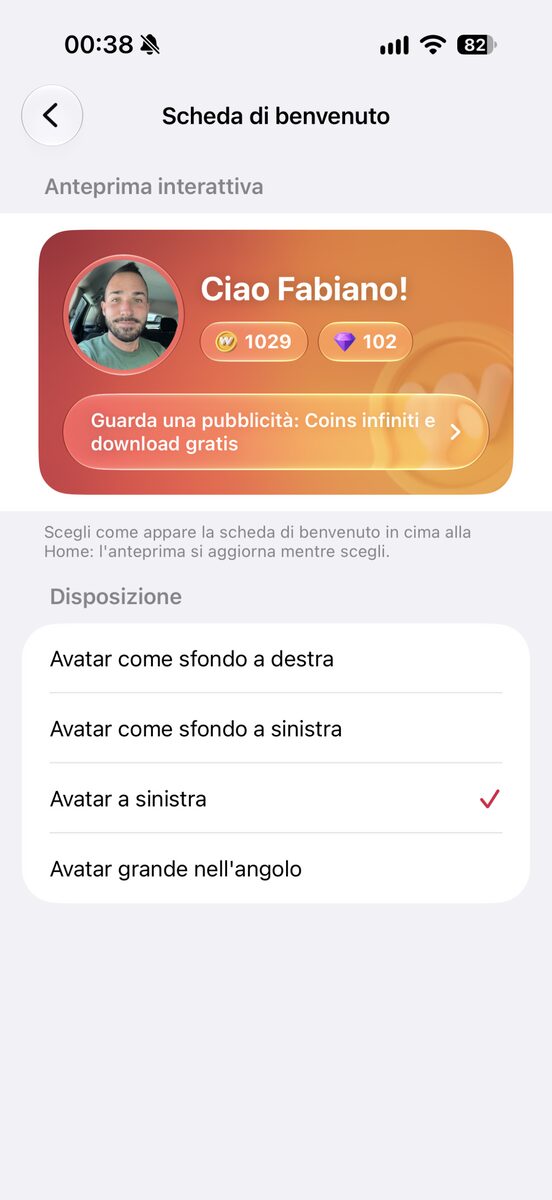
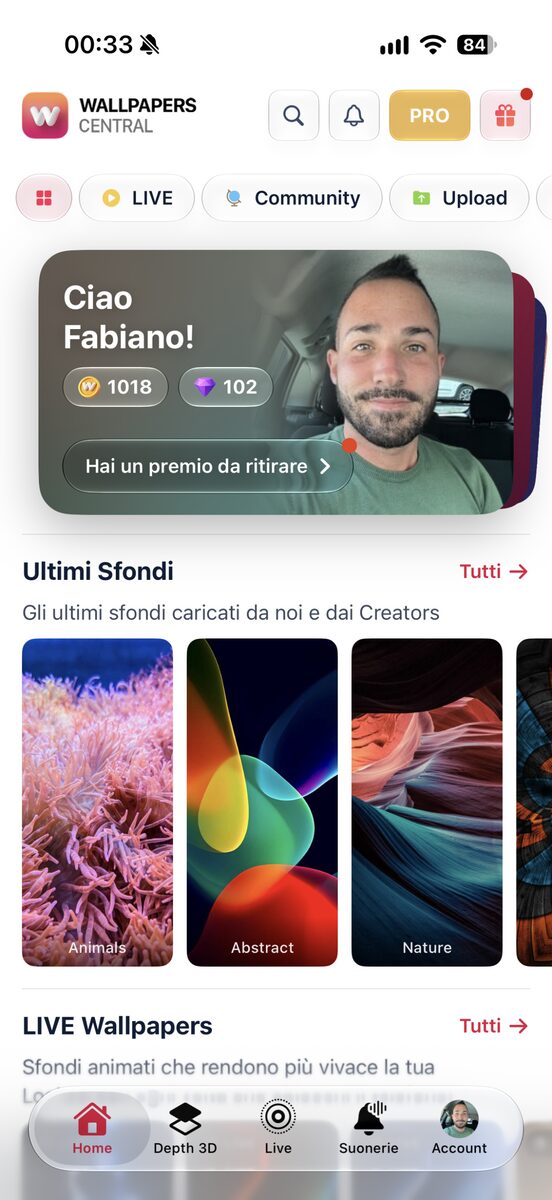
We told you about the new card deck at the very top of the app, but on top of it there is now a dynamic welcome card, which greets you by name and shows your Coins balance (Gems and Keys) together with the next reward to collect. The card adapts to your account: it tells you when there are rewards to claim for your daily check-in or for your missions, suggests how to earn free Coins by setting a profile picture or by completing any other mission, and much more. It is a really important and useful card, and that is exactly why it sits in first place.
Tapping the avatar opens the photo and name editor straight away, if you have not customized them yet, so you earn your first free Coins immediately. PRO subscribers, instead, see the gold badge and the status of their plan.
This card comes in different styles too, which you choose from Settings > Customize > Welcome card among four layouts: Avatar as background, on the right, Avatar as background, on the left, Standard and Large avatar in the corner.

Home: 5 styles for the top section and your own content order
The Home is fully customizable. At the top you will find the “Swipeable card deck” set by default, available for every type of account, but there are four more styles to choose from: Large scrolling cards, Featured and tiles, Classic carousel and Carousel and tiles. You find them in Settings > Home style. This screen shows an interactive preview, so you can get a proper look at the new design before deciding to switch.
And that’s not all: the Welcome card also offers a first layout to every user, plus 3 more exclusive styles to choose from.
Beyond the top section, you can customize the rest of the Home too, deciding the order in which categories are shown. For example, if you prefer Space, Nature or Apple wallpapers, just move those categories higher up and you will see them first, without having to scroll through the whole page. If you keep the default order, categories keep moving instead, with the ones that received the most recent wallpapers rising to the top.
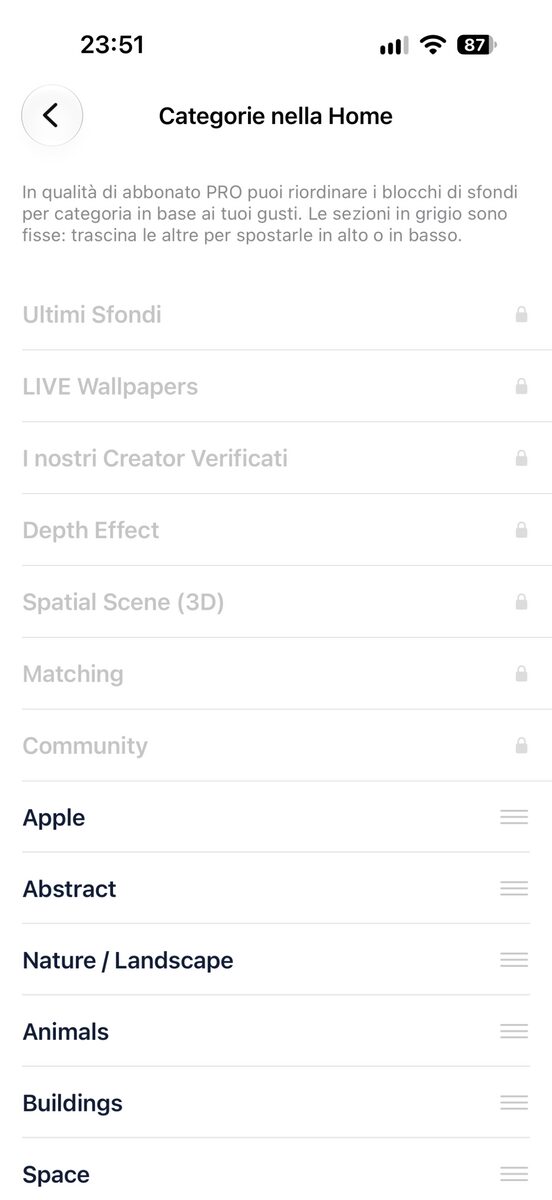
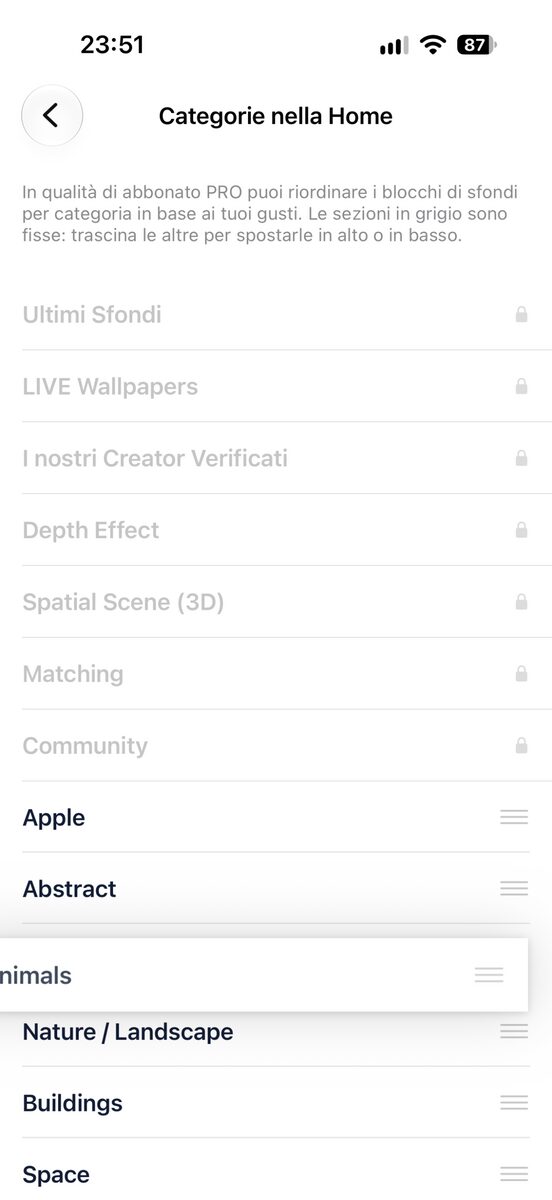
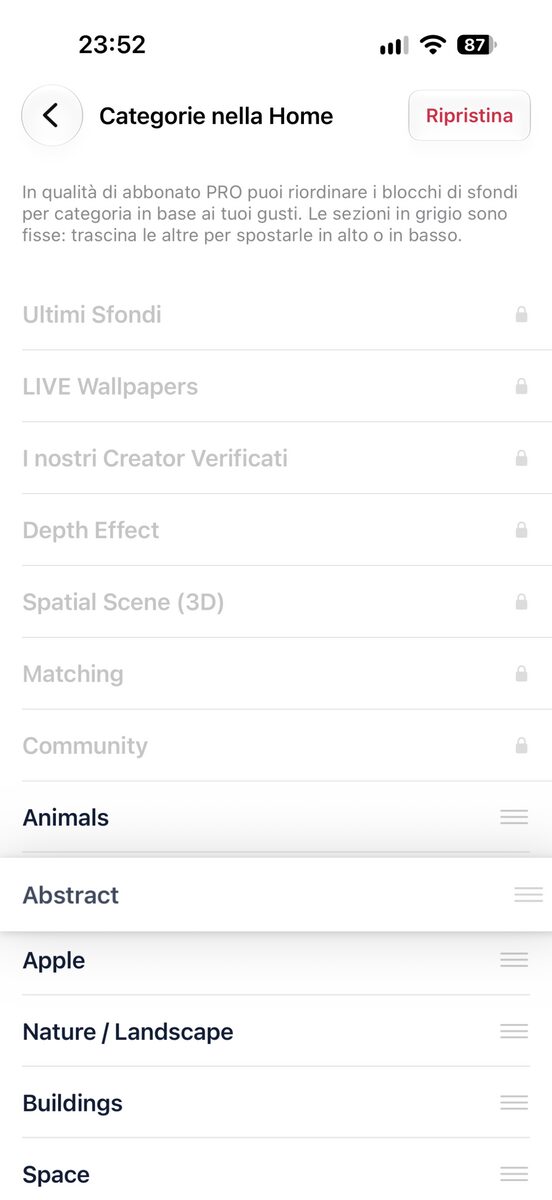
The extra Home styles, the extra Welcome card styles and the option to reorder categories as you like are reserved for users with a PRO subscription, but they can also be unlocked for free by opening the chests in the Rewards section, which we talk about further down.
Ringtones: a section redesigned from top to bottom
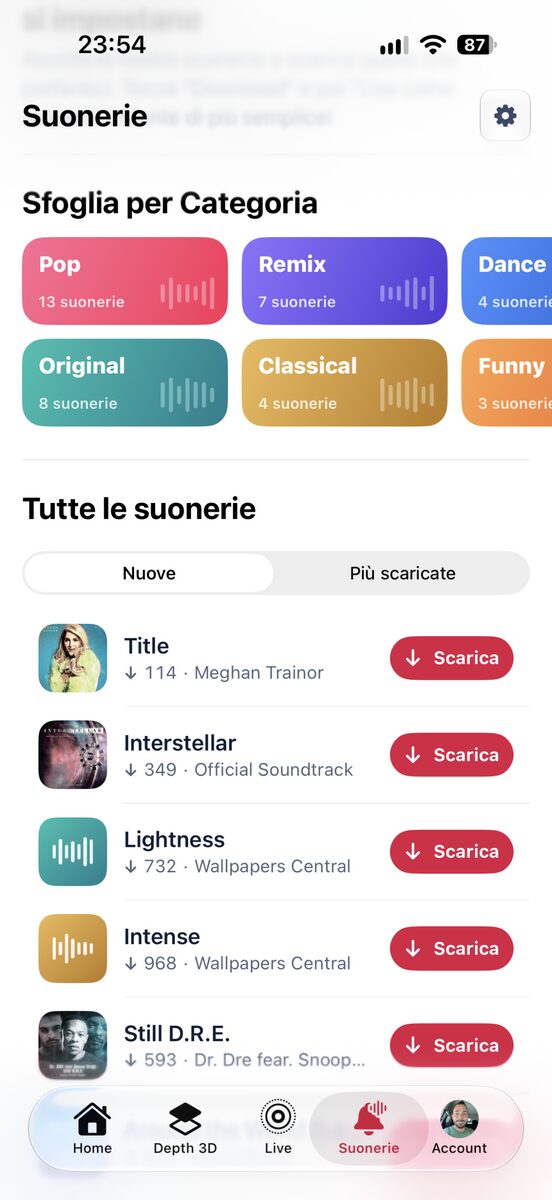
The Ringtones section has been completely rebuilt, both in style and in features. The idea is simple: listen first, then download. Next to every ringtone you also see the number of downloads, so you can immediately tell which ones people like the most.
Ringtones: the most downloaded, on a spinning vinyl
At the top there is the carousel of the most downloaded ringtones: every cover has a vinyl record that, once tapped, slides out to the side and spins while you listen to the preview. Above the cover there are the buttons to listen and download; below it, the chart position, the title and the number of downloads.


Ringtones: a page for every category
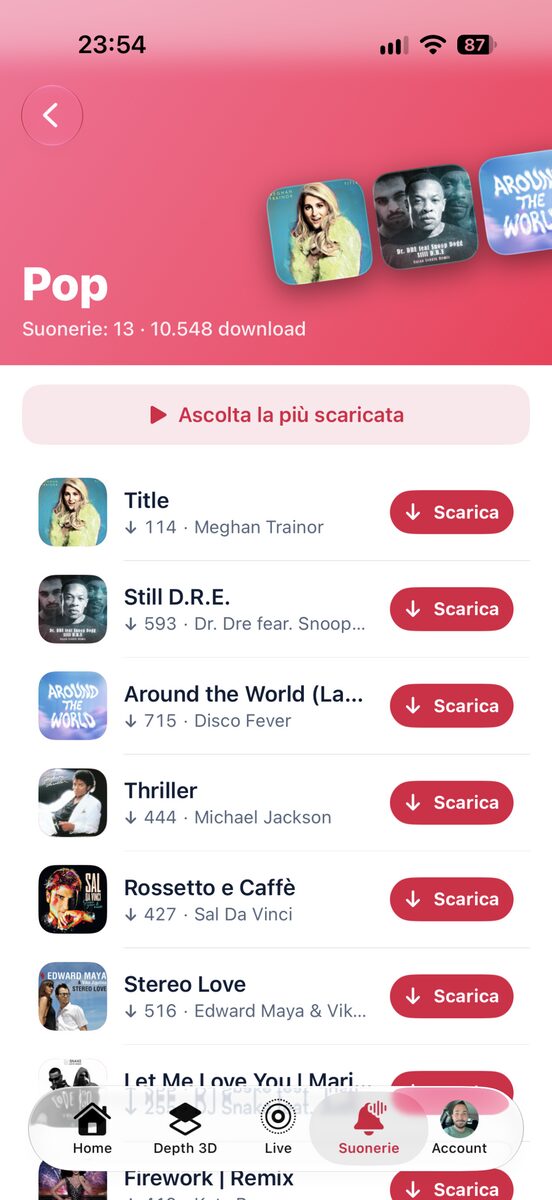
You browse categories through colorful tiles, each showing how many ringtones it contains. Tap one and the category page opens, with a header in its own color, a collage of covers and a button to play the most downloaded ringtone of that genre right away. Below it you find the full list, starting from the most recent.
Ringtones: official covers and a mini-player
Every ringtone has the official album cover. When you start a preview, a mini-player similar to the one in the iPhone Music app appears and follows you as you scroll, with the cover, the title, the time remaining, the pause button and the download button.

Ringtones: sort by newest or most downloaded
The All ringtones list can be sorted by date or by number of downloads, so you can listen right away to the latest additions or to the most popular ones, and it grows with the Load more button. PRO users download all of them instantly, without spending Gems. Users with a free account and no subscription can still download them, but they need to use a Gem: Gems are free too, just convert 20 Coins into 1 Gem and start the download right away.
There are lots of ways to get free Coins: let’s start with one stamp a day
Earning free Coins is now easier and more fun. Just open the Rewards section, which you can reach both from the horizontal menu in the Home and from the gift box icon found in several parts of the app. By the way, that gift box icon now lights up in color when there is a reward (Coins) to claim, so you will never miss one.

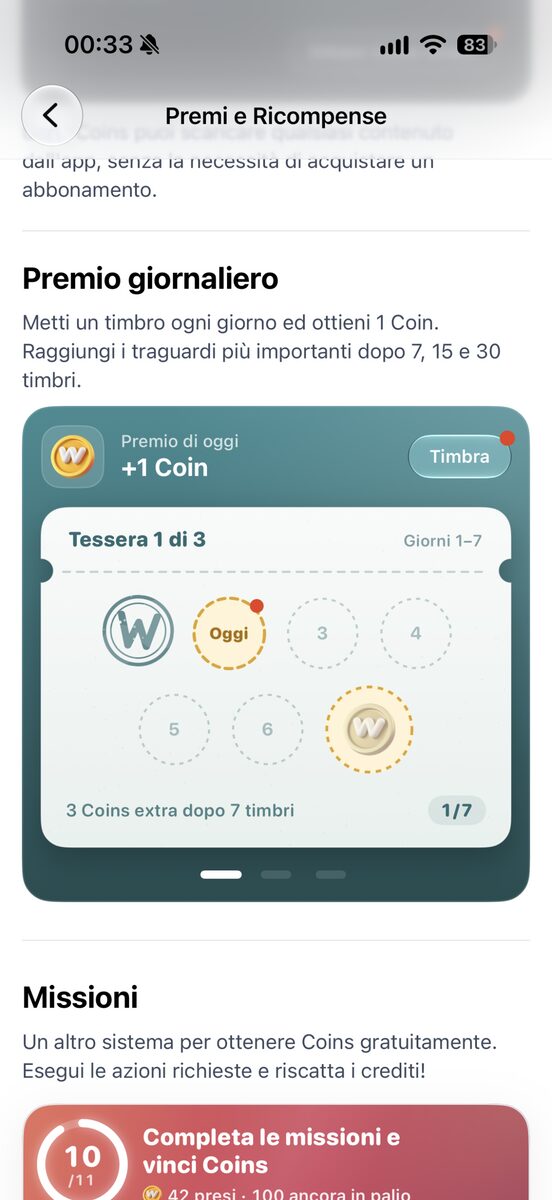
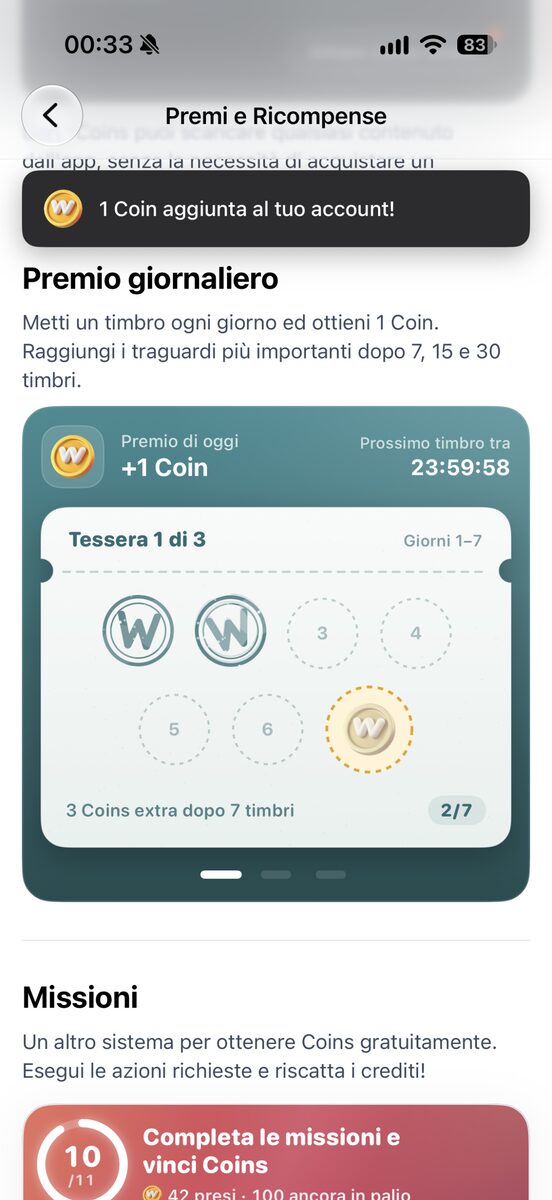
Inside Rewards you will notice the first new feature right away: the stamp card. It works in the simplest way possible: every day, every 24 hours to be precise, the app gives you 1 Coin. Just open it, add a stamp and you get your reward immediately. When you reach 7, 15 and 30 stamps bigger rewards arrive: extra Coins, a Gem and a Key, always completely free and ready to use right away to download Premium Wallpapers and Ringtones, or to unlock extra features of the app usually reserved for PRO users.
The detail not to overlook is that stamps are never lost: we recommend collecting your Coins every day, but if you skip a day the card simply stays where you left it, without resetting.
Free Coins: refreshed missions
Missions have been redesigned too. At the top there is a summary of how many you have completed and how many Coins you have already collected, followed by three groups: those ready to claim, which you collect with a tap on the Redeem button, those still to do, with a Go button that takes you straight to where you can complete them, and those already completed.

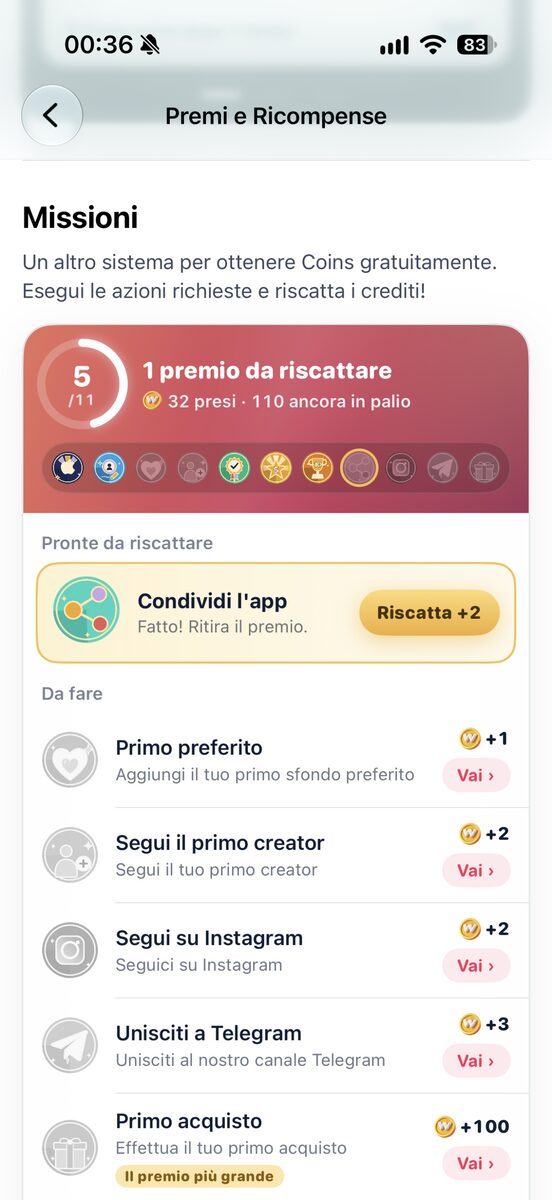
Some missions are really simple: you earn Coins just by signing in with Apple or Google, more by customizing your name or profile picture, more as soon as you add a wallpaper to your Favorites, more when you follow a Creator, and even more when you upload and share 1, 5 or 10 wallpapers, share the app or follow us on Instagram and Telegram. Nothing too complicated or time-consuming: with missions you can earn as many as 142 Coins in total, completely free.
Free Coins: chests on a treasure map
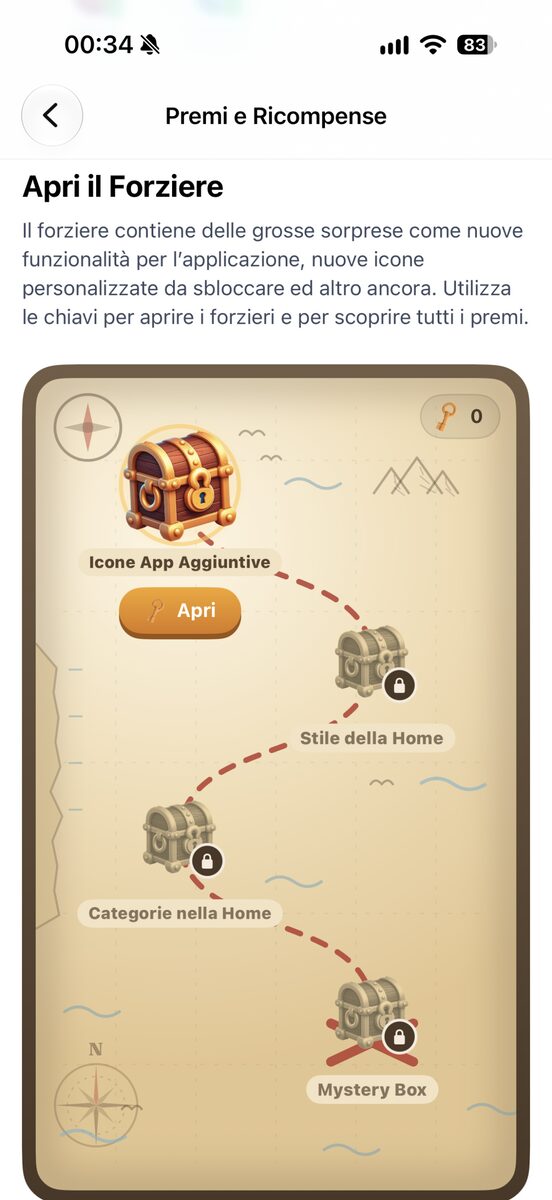
Chests got new graphics, new logic and new rewards too! They now sit on a beautiful treasure map, connected by a path, and they open one after the other. Inside you find: the alternative app icons, the Home styles, the option to reorder categories and, last of all, a Mystery Box that we will let you discover for yourself. These are all features usually reserved for PRO subscribers, but through the chests every user can get them without paying anything.
Free Coins: even before you sign up
You can earn Coins even without an account: the ones you collect before signing in will be waiting for you when you register. And when you don’t have enough Coins or Gems for a wallpaper or a ringtone, the app immediately shows you all the ways to get them, and among the packs the free ones are listed at the top. Non-PRO users also find a card in the Home that sums up how to earn them: just watch a video to get 3 Coins right away (and you can watch as many as you like, for just as many free Coins), and then there are stamps, missions and so on.
Account: a more compact menu, with everything in order
The Account section has been redesigned: below your profile and balance there is now a menu instead of the old sections that were always “open”. From here you reach Transactions, Missions completed, Your devices, Uploaded wallpapers, Favorites and Community: everything that was there before, better organized, plus something more. It looks much simpler and tidier.

When choosing and uploading a custom profile picture, you can now pick the area to crop, so your avatar is always square and precise. We have also added the names for the identifiers of the latest iPhone models (iPhone 18 Pro, 18 Pro Max and iPhone Duo), which are fully supported.
Account: your Transactions history
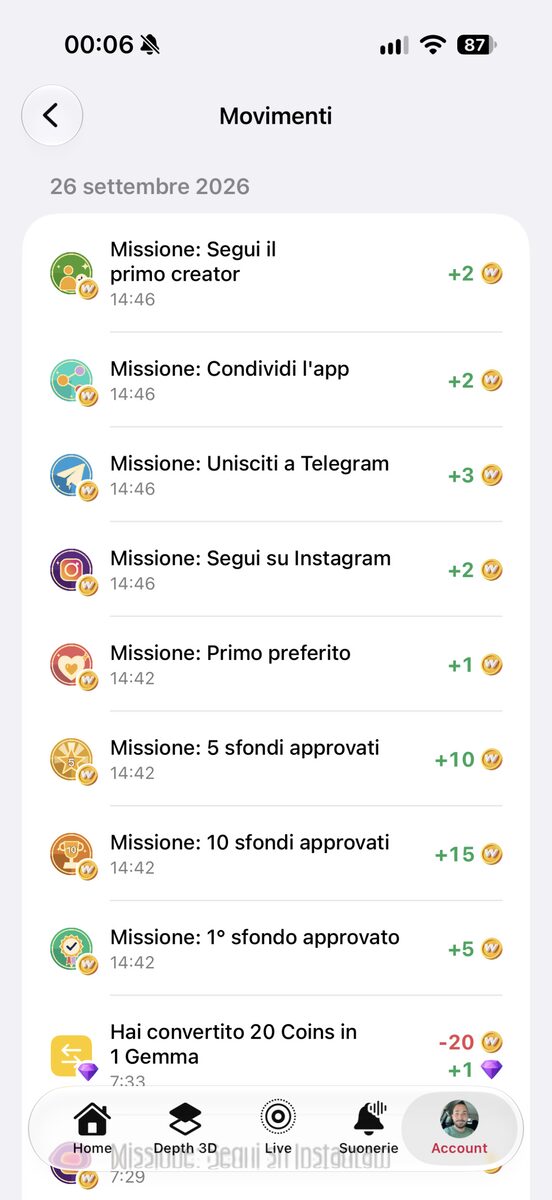
In Account there is a new Transactions item that collects your download history and all the Coins, Gems and Keys you have earned and spent. Every transaction has an icon showing where it comes from (a video watched, a stamp, a mission, a purchase), and the Coins earned with videos are grouped day by day, so the list stays easy to read. Think of it as a history of everything you have done in your account, visible only to you.
Wallpapers: uploading is easier, with support for iPhone, iPad and Desktop
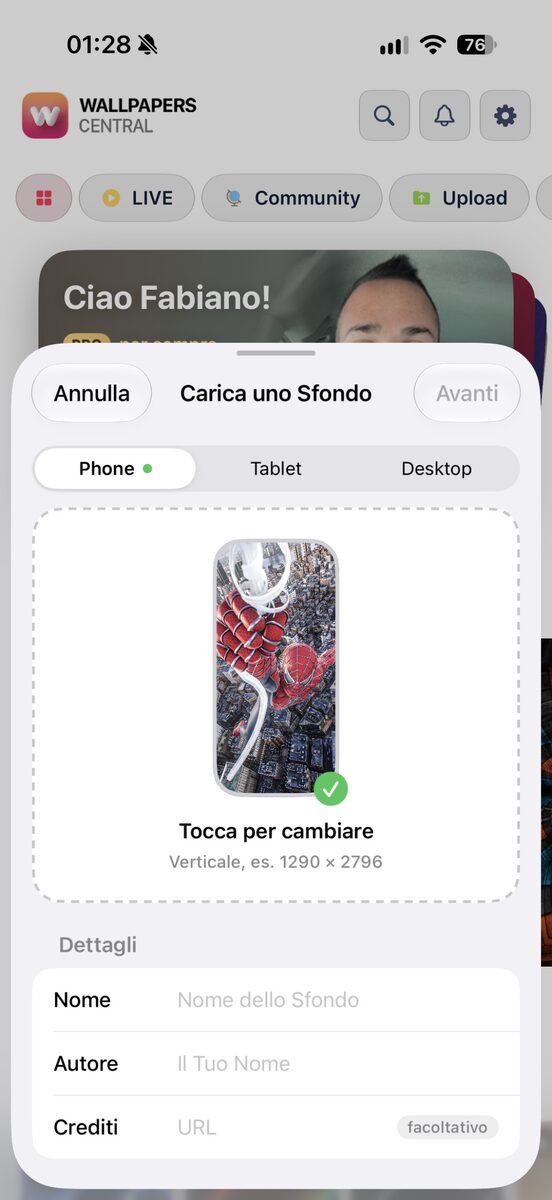
The screen to upload new wallpapers is new as well. You choose which screen the image is meant for, smartphone, tablet or desktop, check the preview and send it. Once the wallpaper is approved, it also counts toward the missions for 1, 5 and 10 approved wallpapers (which means you earn Coins), and you can also apply to become a Verified Creator.

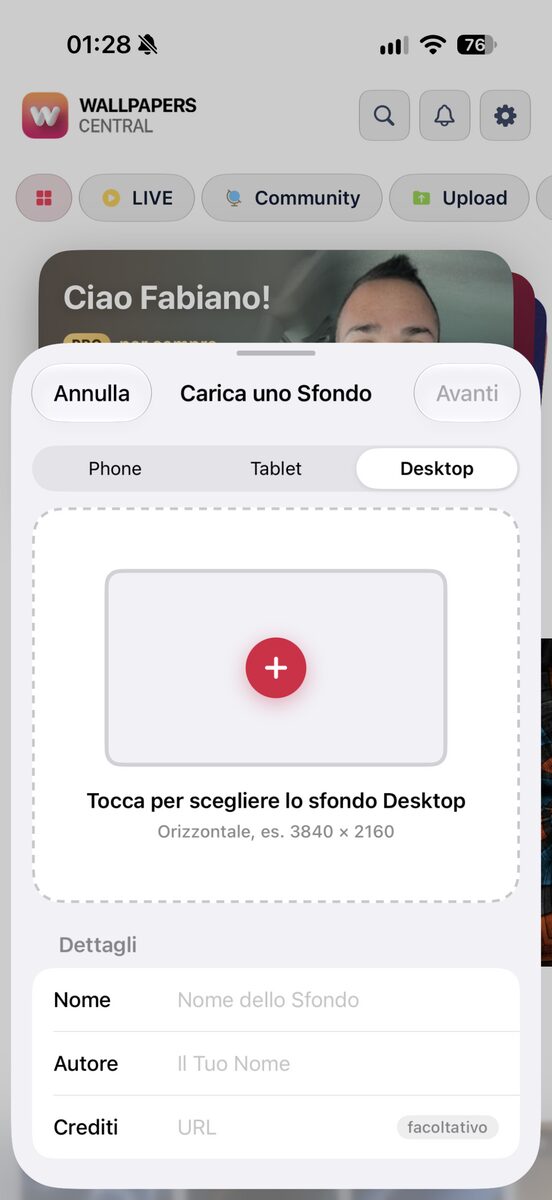
The wallpapers currently reserved for “Tablet” will automatically become the best fit for the upcoming iPhone Duo: they all have a higher resolution, often in a square format, which suits Apple’s new device well. We will release another update once iPhone Duo is available to make things clearer and more explicit (for now Apple would not approve apps that mention the name iPhone Duo, but we are already prepared for that too!)
Wallpapers: the new Matching Night / Day category
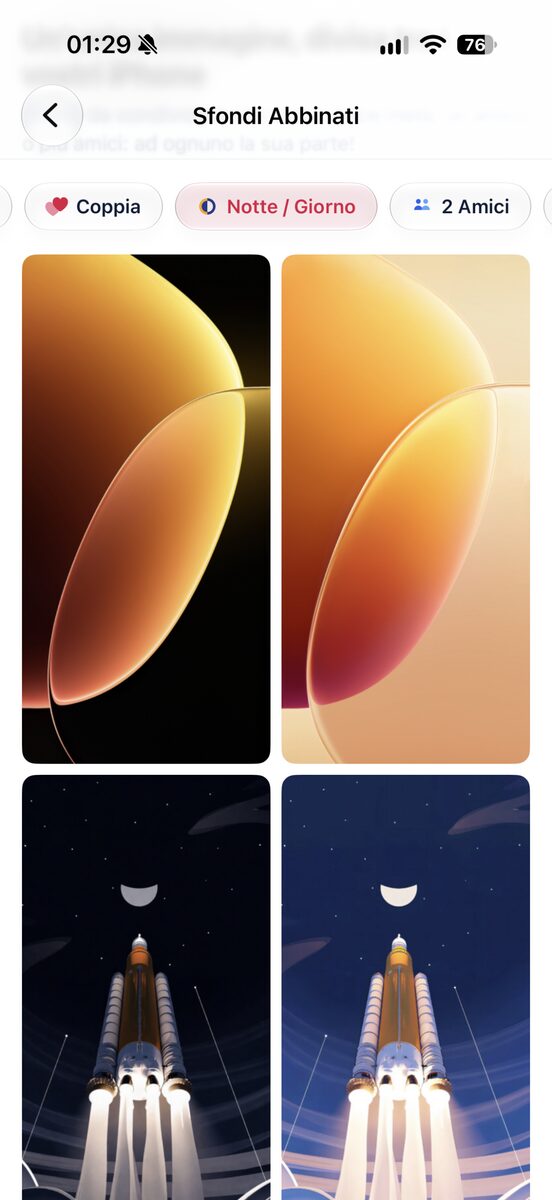
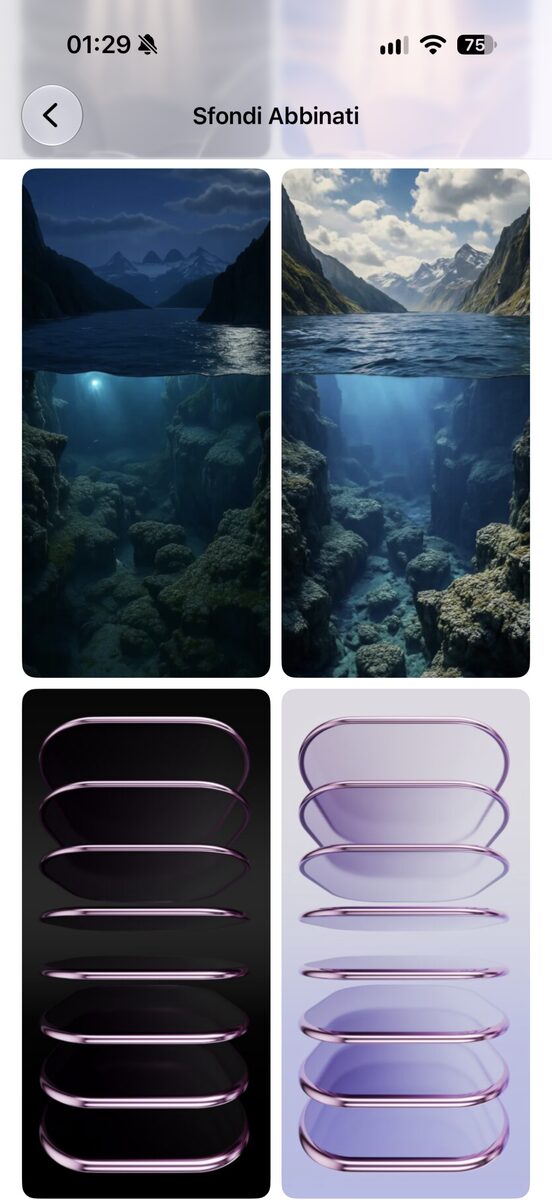
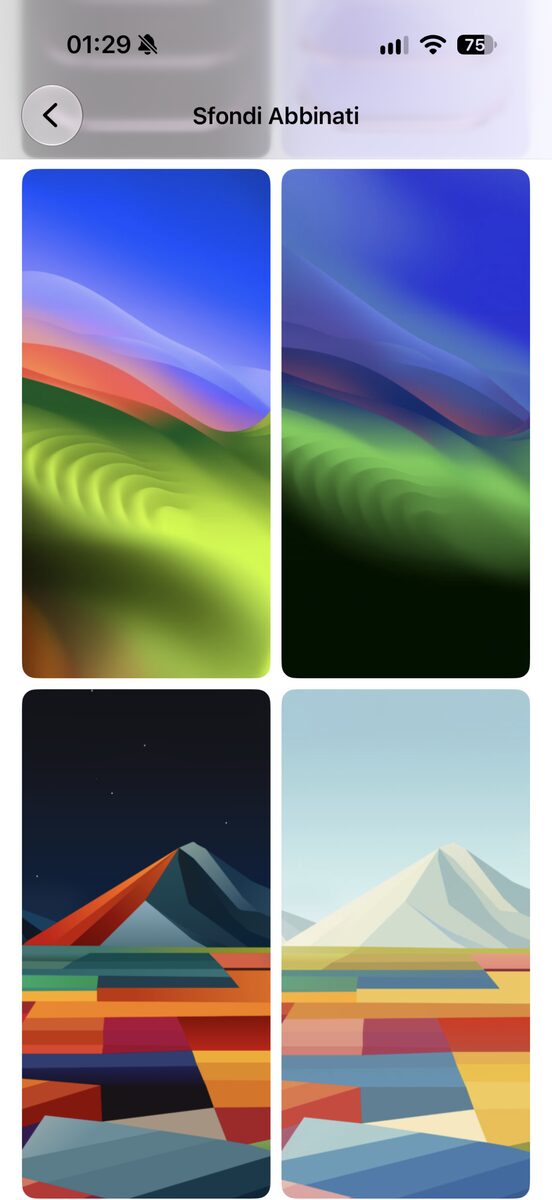
We recently introduced Matching wallpapers, paired wallpapers made for couples, friends and so on. This new version brings a new category of matching wallpapers that we called “Night / Day“: here each pair shows basically the same image, one in a light day version and one in a dark night version. They are perfect if you use iOS automatic appearance and want a wallpaper that changes along with the rest of the system.
Settings: the app icon showcase
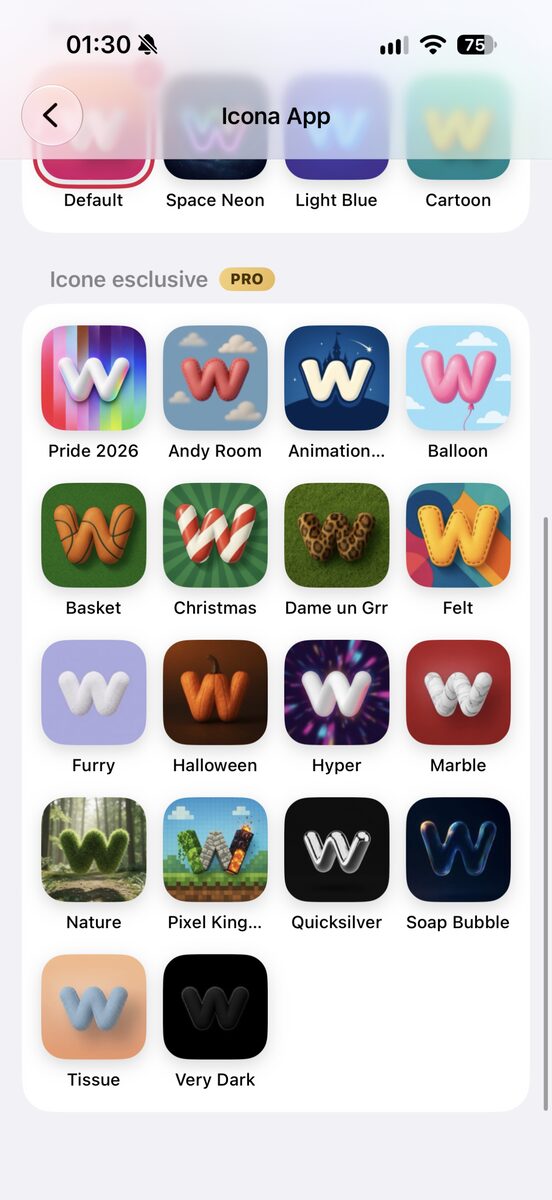
The app has always let you change its icon on the Home Screen, choosing among 22 beautiful designs. You pick the alternative icons in Settings, and we have completely redesigned that page. They are now shown in a showcase where the selected icon appears much larger, with its name and the button to use it, and all the others sit below in a grid. The exclusive ones are unlocked with PRO or by opening the first chest on the map (Rewards section).

Search and Verified Creators
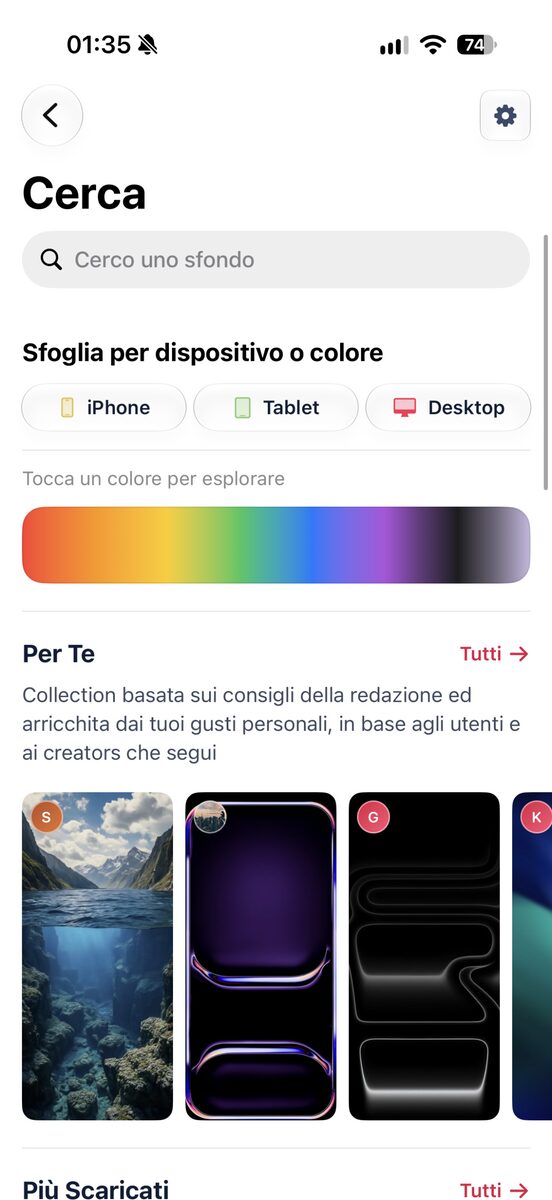
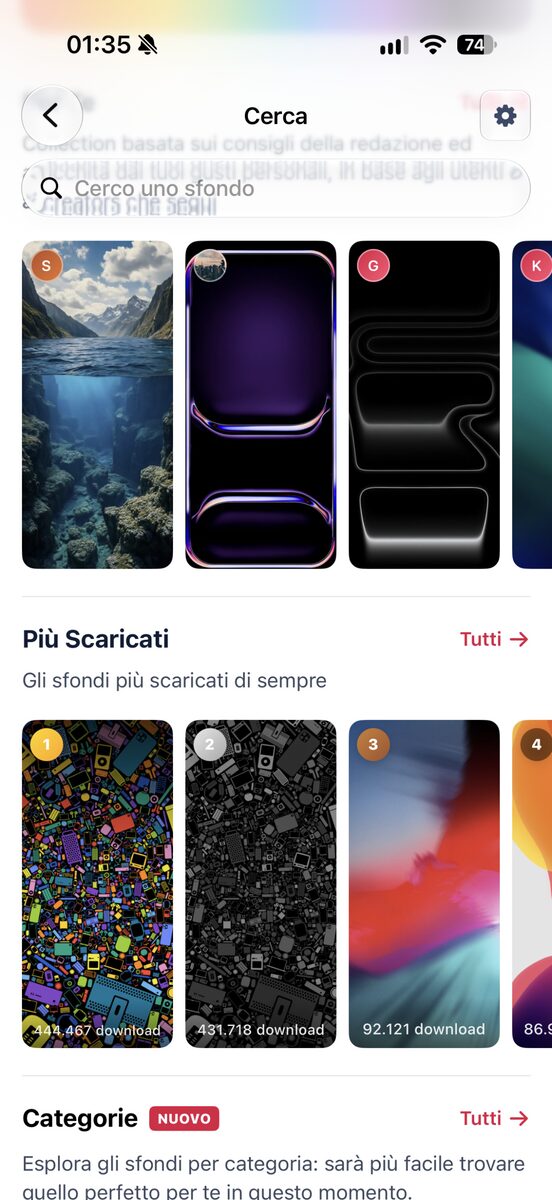
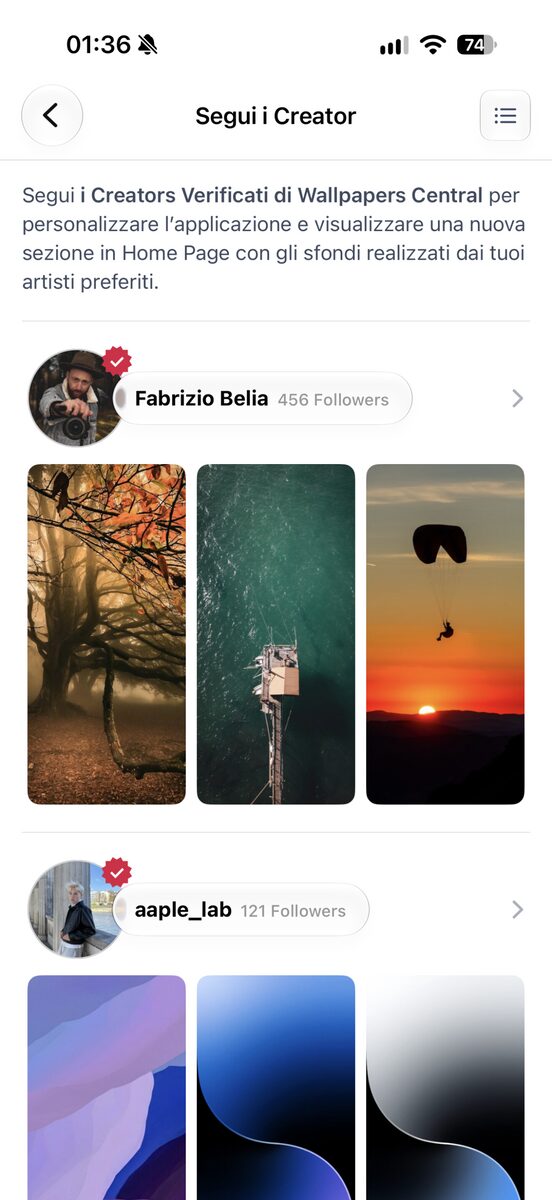
Search now uses the native iOS search field, faster and more familiar. In the For You section you can see who created each wallpaper, and among the most downloaded you can see how many times each one has been downloaded. There is also a small redesign of the Verified Creators page, with their latest wallpapers and the option to follow them with a tap.

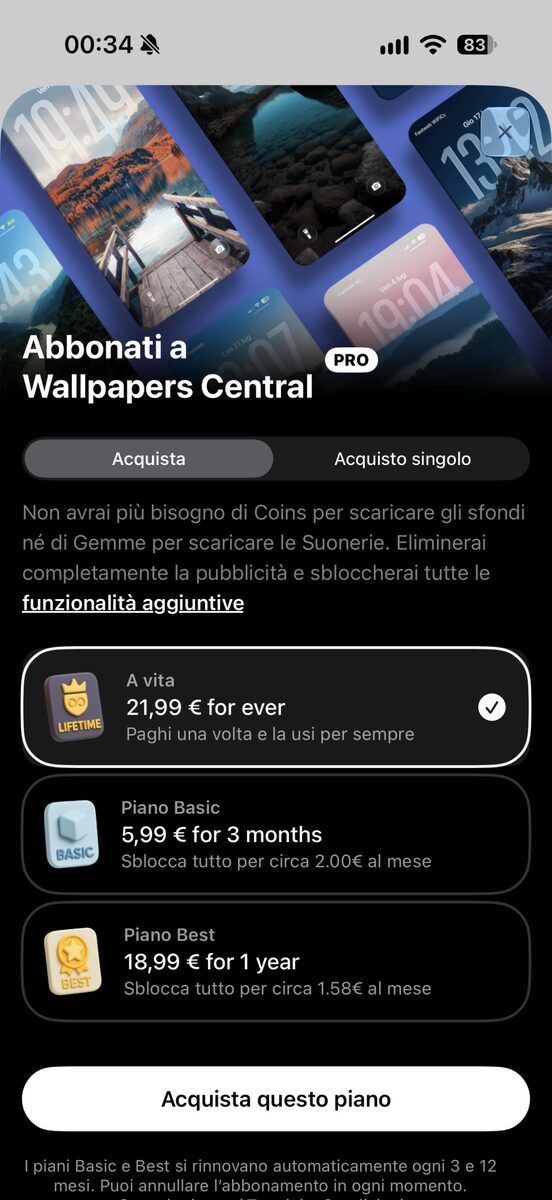
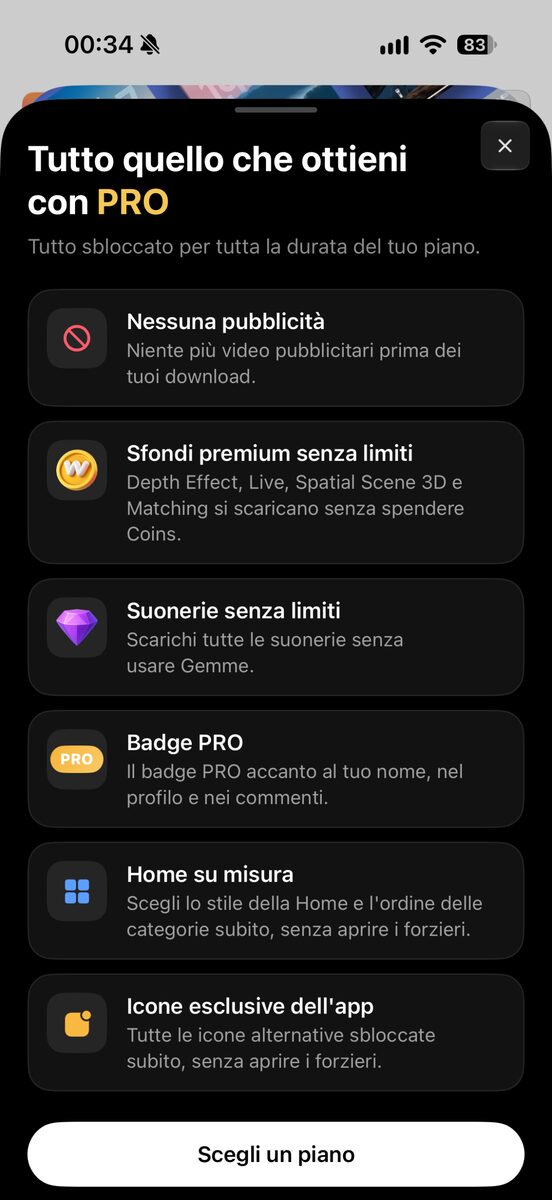
PRO: all the benefits on a single page
From the subscription screen you can now open a page listing everything you get with PRO: all paid wallpapers without Coins, even with effects applied, LIVE, Depth Effect, Spatial Scene 3D and Matching wallpapers included, ringtones without Gems, no ads before downloads, all the Home styles, categories in the order you prefer, the exclusive icons and the PRO badge on your profile and in comments.
PRO is available as a quarterly, yearly or lifetime plan.
iPad: an app designed for the big screen
On iPad, Wallpapers Central is no longer just the iPhone app made bigger. There is a sidebar with the main tabs and the Explore section, which gathers the same shortcuts as the top menu on iPhone. Wallpaper rows use cards sized for the tablet, the top of the Home shows the welcome card next to the deck, and the Depth section goes up to six columns.
The page of every wallpaper has also been redesigned on two columns: on one side the preview and the versions for other devices, on the other the details, related wallpapers and comments.
Everything else new in version 2.6
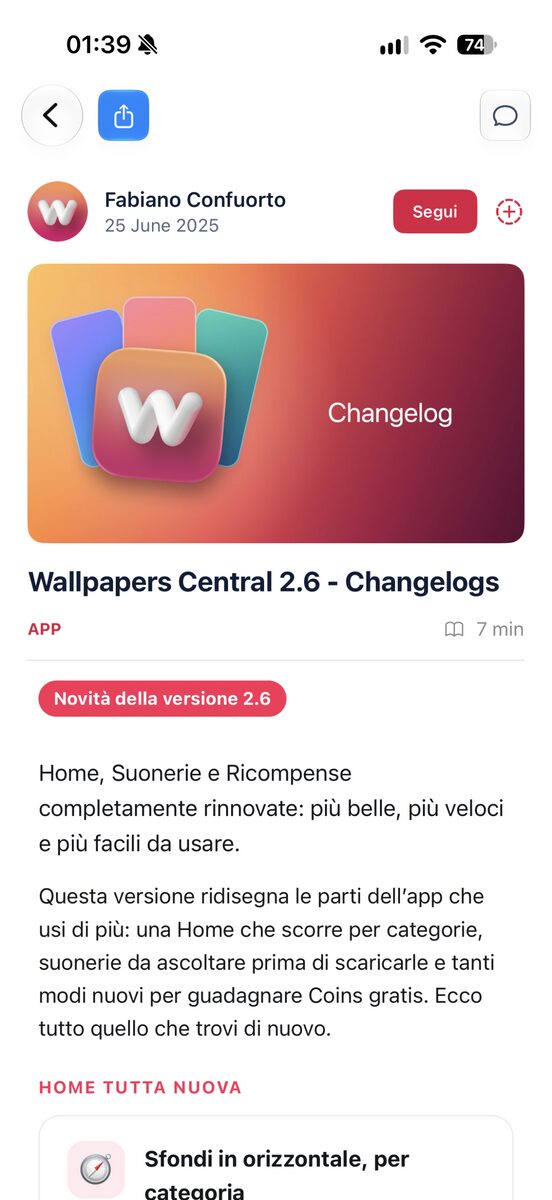
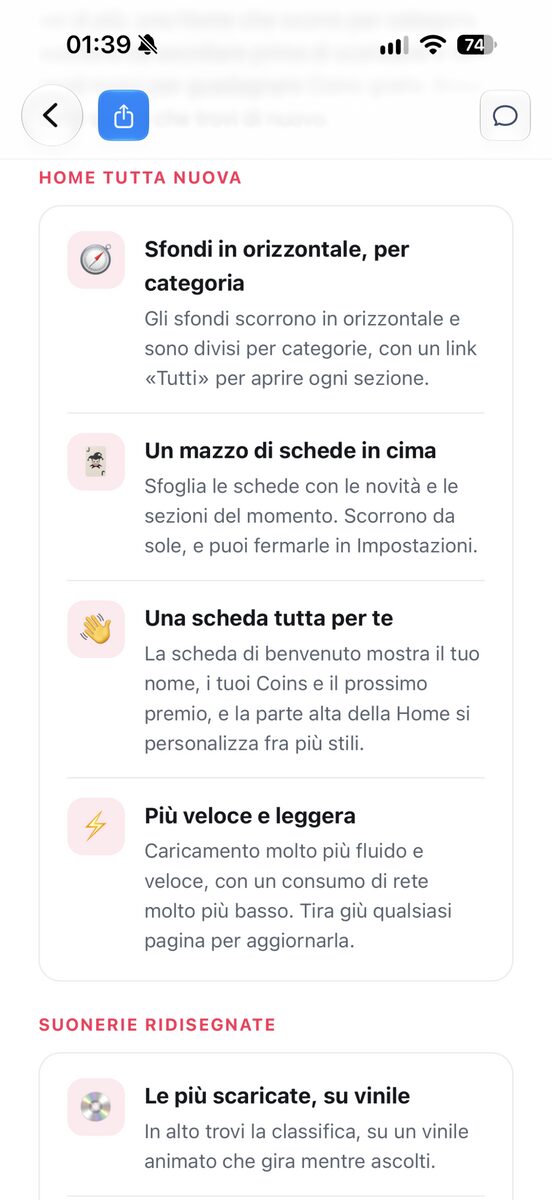
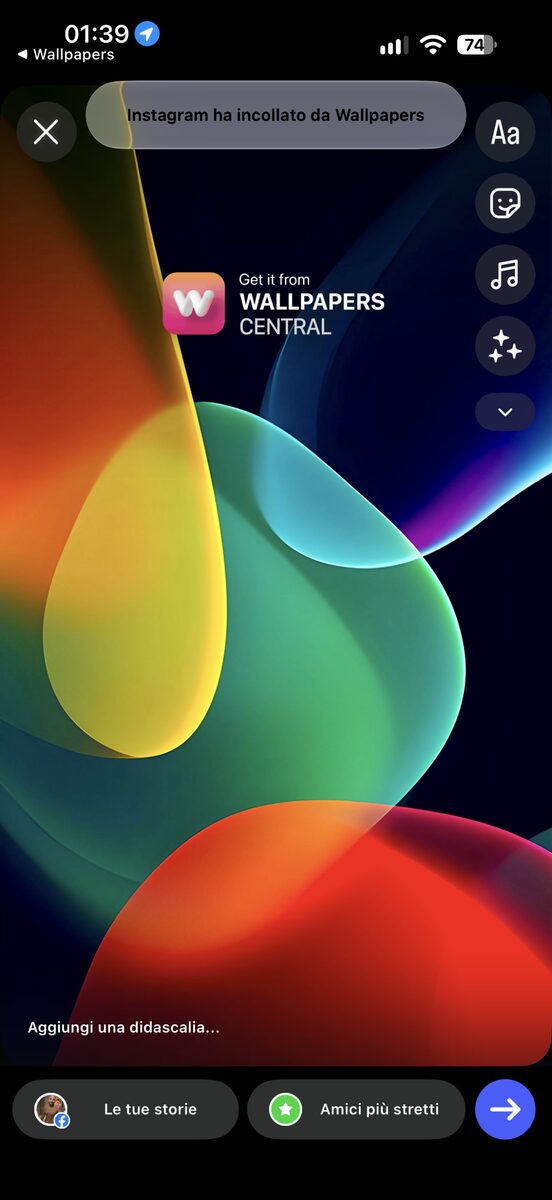
The first time you open the app after updating, a What’s New screen tells you what has changed, and from now on you will see it with every version. Articles and changelogs have a new design and can be shared to Instagram Stories, while on inner pages the tab bar hides itself to leave more room for content.
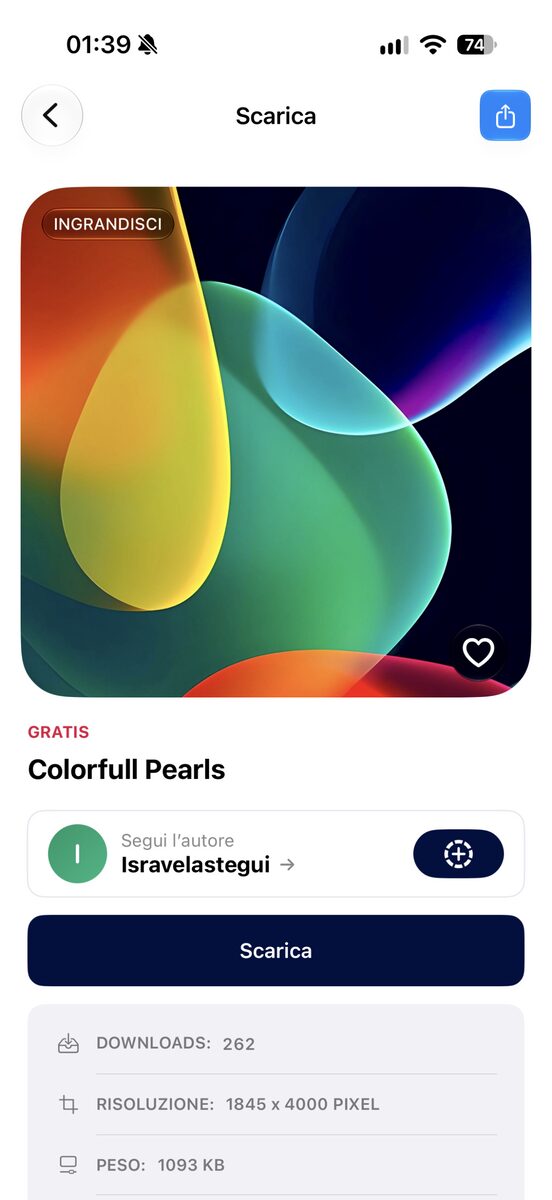
Links to Wallpapers Central wallpapers and articles now open the app directly, if it is installed, and the Open button in the website banner takes you to the wallpaper you are looking at instead of the Home. When an important update comes out, the app itself will let you know (from the Account section). On top of all this there are lots of fixes in every section, and above all a huge amount of work on the back end, that is the whole engine behind the app, the server and everything that allows the app to work this way and to fully protect user privacy.
It has been an enormous amount of work, with almost every section rethought and rebuilt from scratch to keep the app worth your while, and we hope you will like it once again! If you enjoy it, please rate the app with a few stars on the App Store (the app will also invite you to do so if you never have). Thanks in advance!
Join the conversation
0 onlineSign in to leave a comment:
3 Comments